
To prepare jewelry photos for retouching, gather the best original files, a reliable product-colour reference and notes about what should be cleaned up. Reflective metal and small gemstones can make a vague request such as “make it shiny” difficult to judge. A useful brief describes the finish while identifying the real details that must remain.
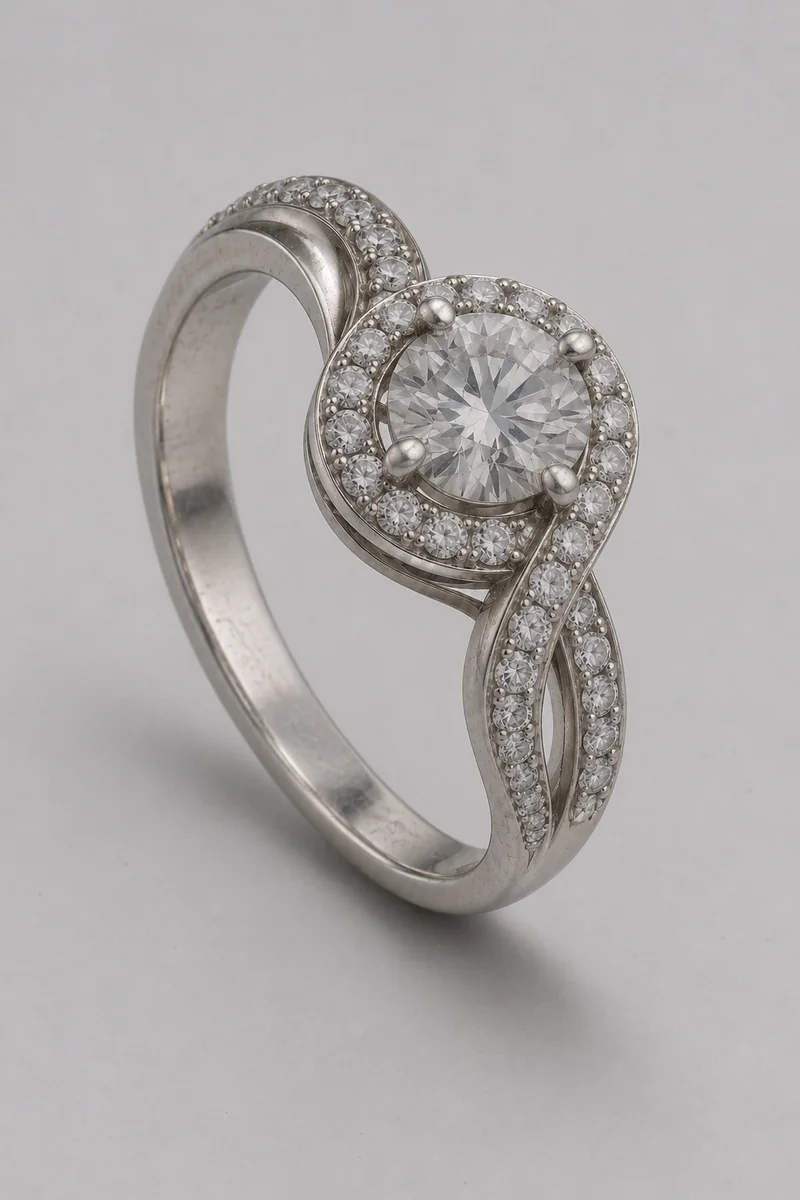
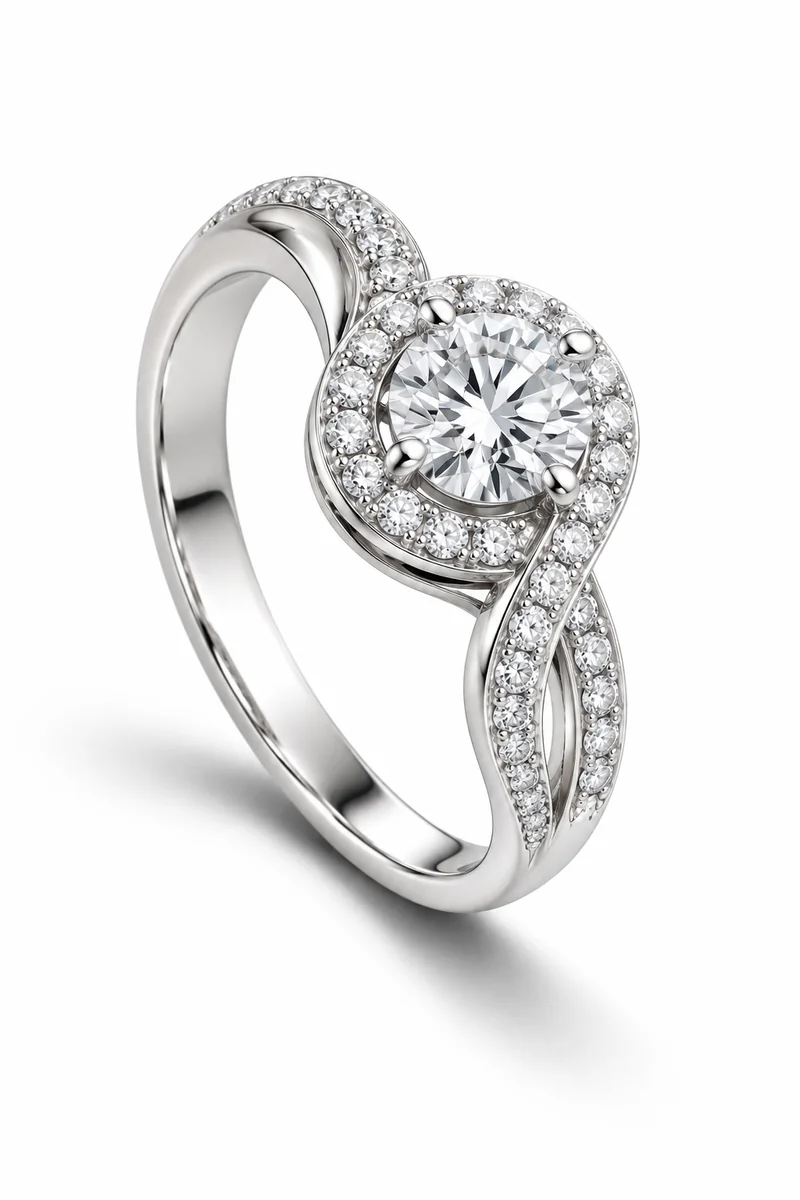
Jewelry photo retouching: before and after
Compare metal reflections, stone detail and the small settings in each jewellery sample. Supply a colour reference and confirm the desired finish before a full batch is processed.
Blue Drop Earrings
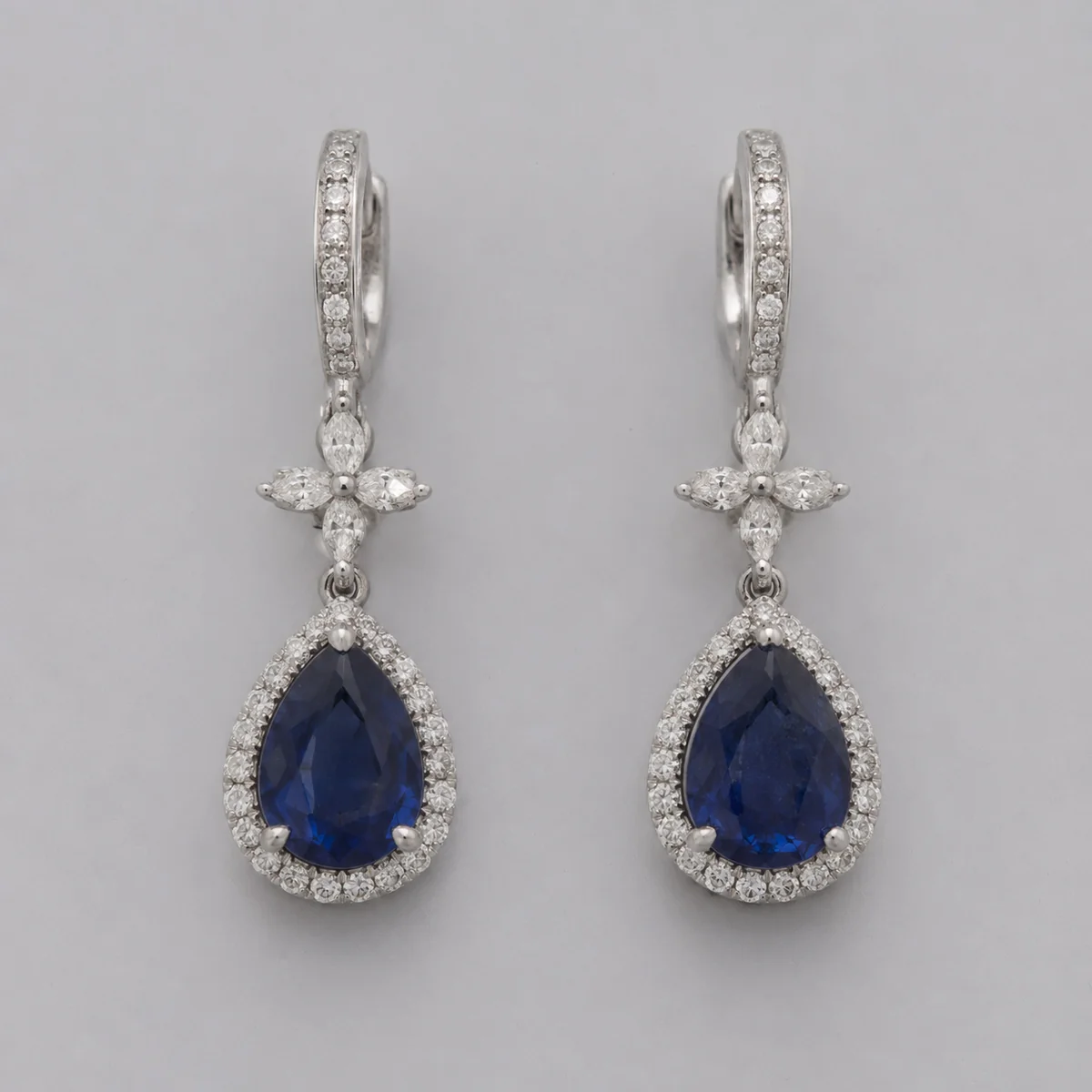
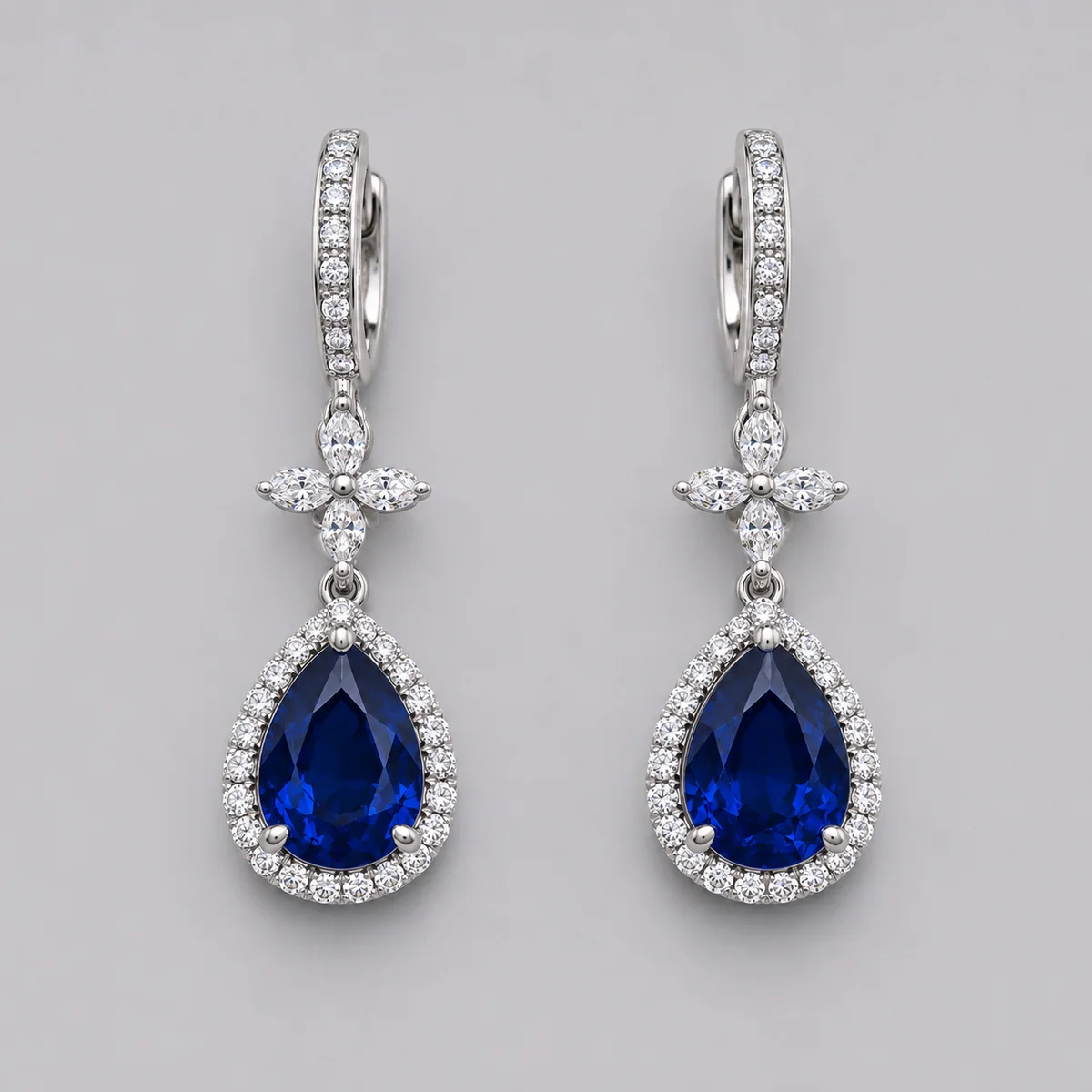
Blue Stone Ring
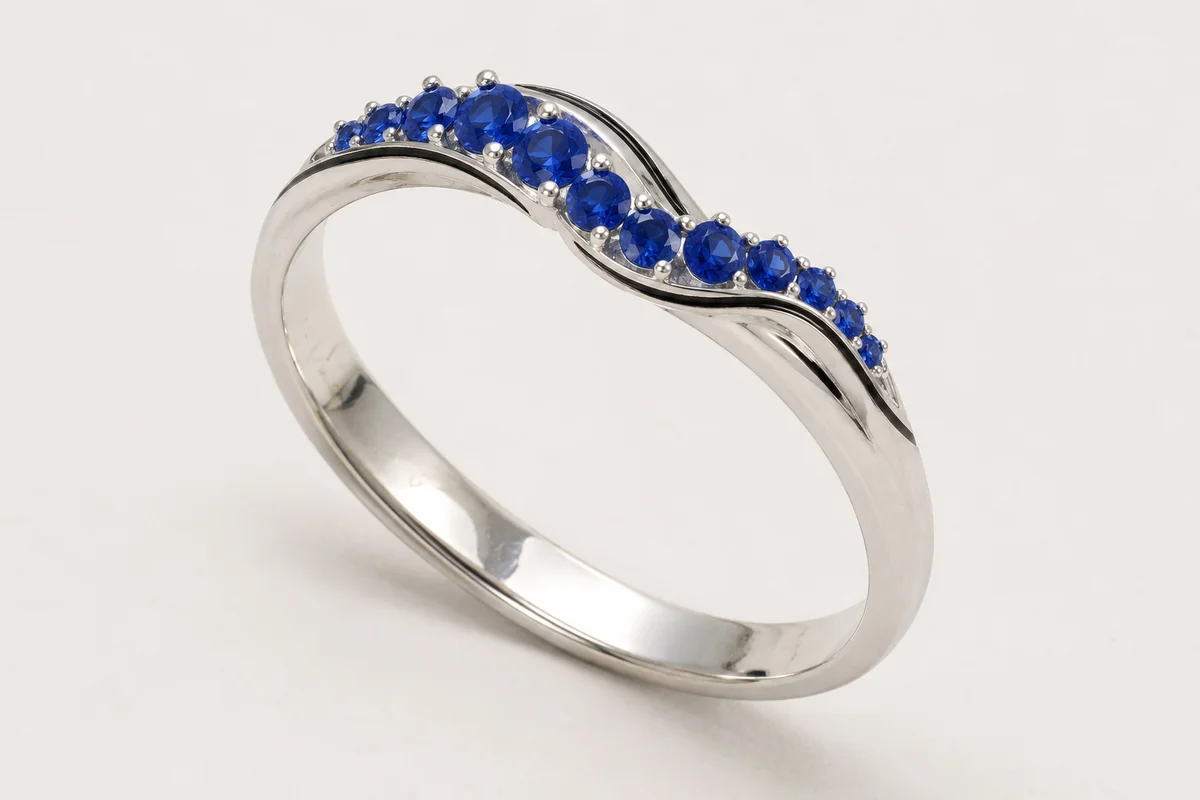
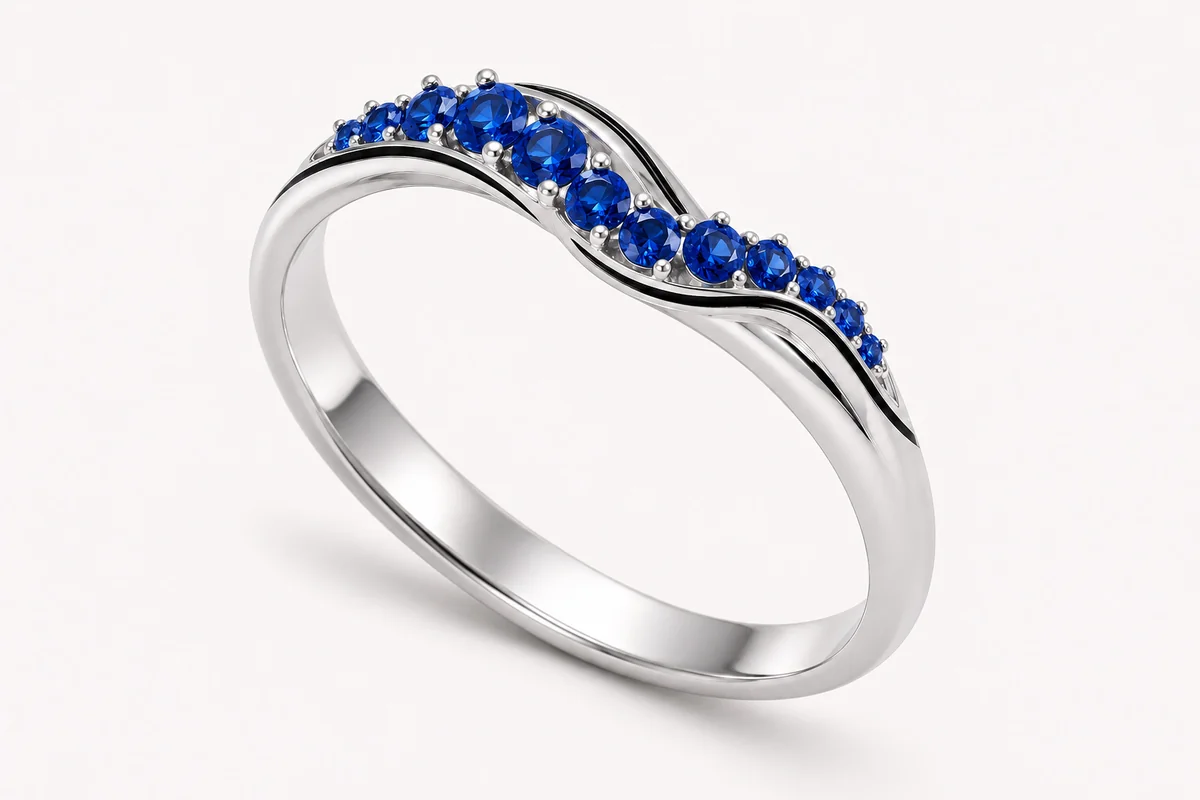
Round Stone Ring
Choose the strongest source files
Send original RAW files when they are available, or the highest-quality TIFF or JPG you have. Avoid supplying a screenshot of an image when the full-resolution photograph exists. Repeated compression can make fine prongs, chain links and gemstone facets harder to distinguish from image artifacts.
If your photographer has already produced a focus-stacked image, include that finished source and explain what processing it has received. If you want the editor to handle stacking, agree on the workflow first and send the matching sequence in order. Files from different camera positions or different pieces should not be mixed into one stack.
Provide references that answer specific questions
Metal finish
Identify whether the piece is yellow gold, rose gold, silver, platinum or another finish. Share an approved reference photographed or prepared under suitable conditions. A warm reflection on silver should not automatically be treated as the intended metal colour.
Gemstone appearance
Explain which colour and visible characteristics should be preserved. Retouching can refine the photographed detail, but an edited photograph does not establish gemstone clarity, cut or value. Do not ask an editor to erase a real product characteristic if customers need to see it.
Background and reflection
Specify white, transparency or a particular coloured setting. Say whether the original shadow or reflection should stay. A transparent cutout and a polished reflection on a solid surface are different deliverables and should be quoted accordingly.
Mark distractions without covering the evidence
Make a separate annotated copy of the image. Use arrows or numbered notes to identify dust, temporary marks and unwanted colour casts. Keep the original photograph untouched so the editor can inspect the same area without a drawing over it.
Distinguish scratches that may be removed from intentional brushed metal, hammered texture or engraved detail. If a requested change alters the actual product design, flag it as a separate creative version rather than including it in routine product cleanup.
Keep related product views together
Group front, side, rear and detail images by product identifier. Include the desired crop, scale and background reference for the whole collection. This helps a ring remain visually consistent across the product grid and its close-up views.
- Use a unique identifier for each piece and colour variant.
- List the exact number of final images needed.
- Specify web or print use, dimensions and required file formats.
- Request layered working files before the quote if your team needs them.
- Include a realistic review point and the required delivery date.
Review one sample before approving the collection
Compare the edit with the original at close view, then examine it at the size shoppers will see. Metal needs controlled transitions between light and shade to retain dimension. Excessive whitening can flatten a curved band; exaggerated gemstone contrast can make the result feel disconnected from the photographed piece.
Check prongs, stone outlines, engravings and chain connections. Ask whether the product is easier to inspect, rather than simply brighter. Approve the sample treatment before the same approach is applied to all views.
Jewelry photo retouching: common questions
Should I send every file or only selected images?
Send the selected views needed for the order and any supporting sources relevant to them. Include a clear file list so an editor can distinguish final selections from references and optional alternatives.
Can an editor fix an out-of-focus stone?
A sample review can establish whether a useful improvement is possible. Sharpening cannot reliably replace detail that was not captured. A stronger source or a reshoot may be the better solution when the critical product area lacks detail.
Start with one representative piece
Explore RetoPixel’s jewelry retouching service and send your original, marked-up notes and finish reference. For isolated product exports, include your background removal requirements.